In yet another surprise, the Apple iPhone 11 has maintained its reign at the top, globally. Insights from the MOVR Q2 2023 report reveal intriguing device usage and adoption patterns.

iPhone 11

Apple iPhone 11 remains a global favorite, defying age with continued dominance. (Unsplash )
In the fast-evolving landscape of smartphones, innovation drives competition as companies strive to unveil devices with cutting-edge features. In the realm of impressive releases, the Apple iPhone 11 stands out as a time-tested and favorite phone of users worldwide. The iPhone 11 has maintained its title as the world’s best-selling smartphone, even after four years. Remarkably, 15 of the top 21 smartphones sold in Q2 2023 were iPhones, cementing Apple’s dominance across major global regions.

The iPhone 11’s stranglehold on the market is evident, as a report claims it has a remarkable 4.88% of total global smartphone usage, reflecting user satisfaction and a prolonged device lifecycle, Dazeinfo reported.
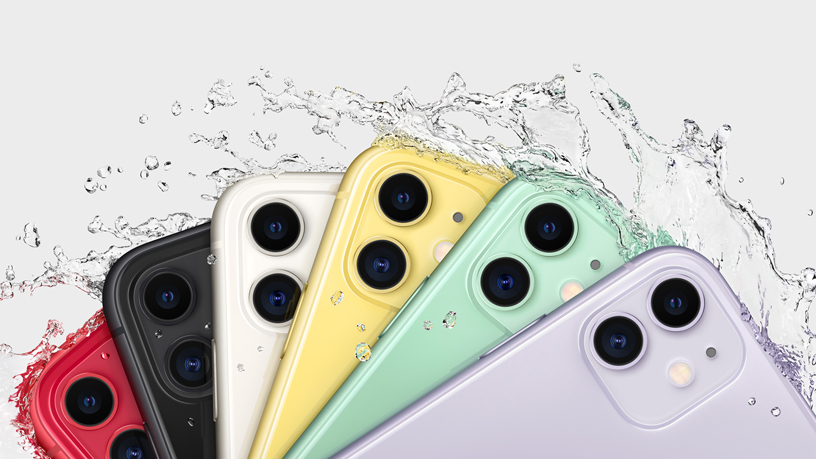
Water splashing on iPhone 11 in six finishes.

Age Patterns in Smartphone Usage

The lifespan of smartphones varies due to a blend of factors including technological advancements, personal preferences, and financial situations. The Mobile Overview Report (MOVR) for Q2 2023 showcases intriguing insights into these dynamics.

During this quarter, the median smartphone age surpassed 24 months, indicating that users tend to retain their devices for over two years before contemplating an upgrade. Notably, the 25 to 36-months range captures the majority, constituting 23.6% of smartphone usage. This points to a sizable user segment that clings to their phones for around two to three years, while the 13 to 24 months bracket also commands a significant share at 23.5%. In total, nearly half of global smartphone usage spans two to three years.

See iPhone repair pricing

Detail history about iPhone 11 from apple.

How to find Phone Model easy in 30s

1. Find iPhone model

a. Check the Device Settings

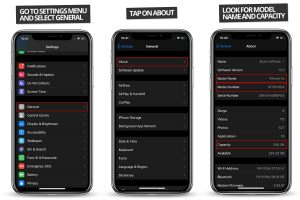
To find phone model iPhone: Settings > General > About: Open your iPhone’s settings app and navigate to the “General” section. Tap on “About” to find detailed information about your device, including the phone model name and number.

b. Inspect the Phone Itself

Back Cover or Battery: Some older iPhone models have the model number printed on the back cover or under the battery (for removable battery models).
SIM Tray: Remove the SIM card tray to find the model details.

c. Look at the Original Packaging

Box Label: The original iPhone packaging usually contains a label with the model number. Check the box or the sticker attached to it.

d. Search Online Using IMEI or Serial Number

IMEI: Dial *#06# on your iPhone to display the IMEI. Search online using the IMEI to identify your specific iPhone model.
Serial Number: Find the serial number in the settings or on the packaging.

2. Find Samsung phone model

a. Navigate Through Device Settings

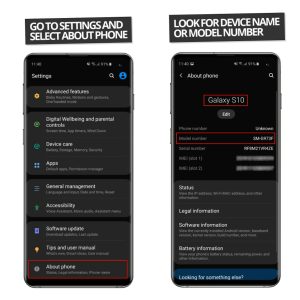
Settings > About Phone: On your Samsung phone, go to “Settings” and select “About Phone.” Here, you’ll find information about your device, including the model name and number.

b. Physical Inspection

Back Cover or Battery Compartment: Some Samsung phones have the model number printed on the back cover or inside the battery compartment.
SIM Tray: Check the SIM card tray for model details.

c. Refer to the Original Box

Box Label: Look at the original packaging. The box label typically includes the model number.

d. Use the IMEI or Serial Number

IMEI: Dial *#06# to retrieve the IMEI. Use it to search online for your Samsung model.
Serial Number: Find the serial number in the settings or on the packaging.

3. Other Brands

For other phone brands (such as Google Pixel, LG, or OnePlus), follow similar steps. Always check the device settings, inspect the physical phone, refer to the original packaging, and use the IMEI or serial number for accurate identification.
Remember that knowing your phone model is crucial for compatibility, software updates, and repairs. Keep this information handy for a seamless mobile experience!

Unlocking PIN protected devices

Most repair companies will tell you that the gaming consoles are too complicated to be repaired. But, we say that it is possible because it needs more technicalities that our team has. If you are looking to get your game consoles repaired, come to us and we will make sure that they work as good as the new ones.

Read more “Unlocking PIN protected devices”

Cell phones falling into water are comically common and disturbing at the same time. It needs some quick action as well as damage control. In order to salvage the situation, there are a few things that you can do. Get it out of water quickly and dismantle all parts. The SIM card should be saved first as it contains all data. The device should be put into absorbing towels and dried off.

Read more “Reviving your phone – What to do when your phone falls in water”

iPhone Repair Screen, Replacement Screen iPhone, we do it for 20 minutes.

Why need to repair screen or replace screen?

Mobile phones have become an inseparable part of our lives. We can now surf the web, log onto our social networking websites, or just carry out leisure activities for hours on our phones without getting bored.  But, what happens if you are just quietly going through your Whatsapp messages and before you can realize the phone just slips through your hand and its screen shatters into a thousand pieces?

Read more “iPhone Repair Screen, Replacement Screen iPhone”